Your Basket

25 Nov
Posted By
0 Comment(s)
17 View(s)
Access control cards, fobs and readers: how they work and how to choose
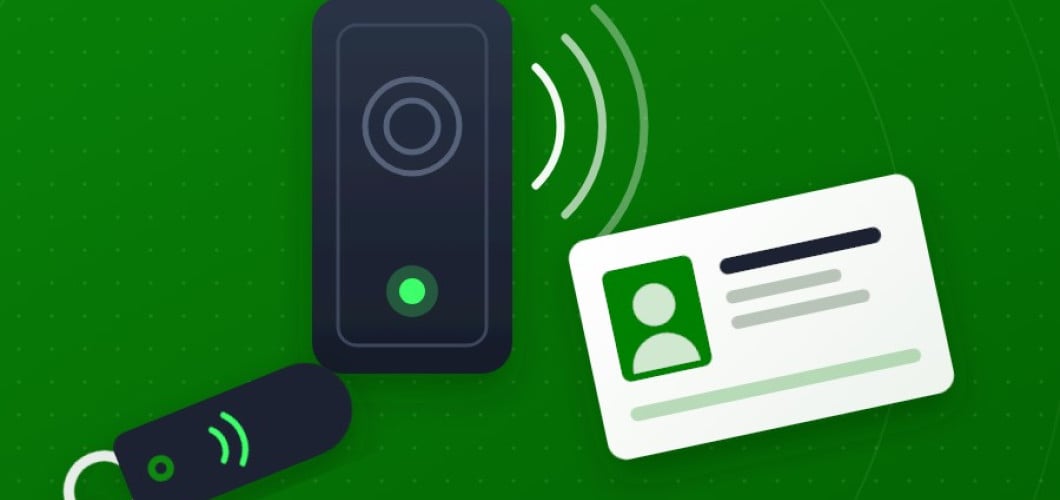
Access control works by matching a credential to a reader: someone presents a card or fob, the reader picks up its number, and a controller checks that number against a list of who's allowed through before it releases the lock. The system decides the card. Present the wrong type of card and access is denied, so choosing the right card for your access control system starts with what's already installed on your doors.
This access control guide will cover:
- How access control works: a credential, a reader, a controller and the door hardware all have to match each other, so the system you already have decides which card you need.
- Types of system: standalone, networked and web-based.
- Frequencies: most cards run at 125kHz, 13.56MHz or UHF, and a reader only reads its own.
- The main systems: what to know about Paxton, Salto, HID and PAC credentials before you order.
- Cards, fobs and formats: choosing a credential type, and what site codes, formats and UIDs mean for a repeat order.
- Readers: door, desktop enrolment and OEM readers, and what each one does.
- Before you order: a seven-point checklist, plus what to check before adding readers or extending a system.
The four components of an access control system
Every access control system has four layers, and each one has to work with the layer next to it.
Credential
Reader
Controller and software
Door hardware
The credential. This is what a person carries to open a door: a card, fob, sticker, wristband or a mobile credential on a phone. The trade often calls it a token. Inside is a chip holding the number that identifies it.
The reader. The reader sits beside the door. It powers the chip with a small radio field, reads its number and passes it to the controller.
The controller and software. The controller decides yes or no, opens the lock and logs the event. The software is where an administrator manages users, doors and access rights.
The door hardware. This is the part the installer fits: maglocks, electric strikes, push-to-exit buttons, break-glass units and the power supplies that run them.
The credential must match the reader, and the reader must match the controller. If any link in that chain is wrong, a brand new card does nothing at all, which is why every recommendation we make at AddaCard starts by identifying the system in place.
How the card, reader and controller talk to each other
When a card is held to the reader, the reader's field wakes the chip and the chip replies with its number. What that number is depends on the card. A 125kHz proximity card holds a number laid out in a format. A 13.56MHz smart card has its own serial number plus memory, which a system can fill with its own data.
The reader sends that number down a cable to the controller. Older installations use Wiegand, a one-way wiring standard. Newer ones increasingly use OSDP, which talks both ways and lets the controller supervise the reader, so a disconnected or tampered reader shows up. A reader and controller have to use the same standard, or the controller can't understand what the reader sends.
The controller then checks the number against its permissions. If the person has the right level of access for that door at that time, access is granted and the lock releases. If not, access is denied. Either way, the event is logged, so a security or HSE manager has a timestamped record to work from after an incident.
Because the controller makes every decision, managing who gets in is a software job. When a card is lost or someone leaves, the administrator removes that card in the software and it stops working straight away, so it can't be used for unauthorised access and no locks need changing.
Types of access control systems
There are three main types of access control system. Paxton makes one of each, so its range serves as the worked example here, and most other manufacturers' systems follow the same principles.
Standalone access control systems
Each door makes its own decisions with no PC involved. Paxton Switch2 works this way, and it's managed entirely with cards at the door. Switch2 tokens come in packs of matched pairs: a user card or fob, and a shadow card that carries the same number.
Each pack also includes a single enrolment card, which is presented to the readers to activate every token in the pack. As each user token is handed out, the administrator writes that person's name on its matching shadow card and stores it safely. If a token is lost or stolen, the administrator presents its shadow card to every reader on site, and the lost token stops working at each door. Access to different areas is set by token colour, with green, amber and red tokens letting you divide a site into zones.
Networked access control systems
Controllers connect to PC software, so every door is managed from one desk. Paxton Net2 works this way, with one controller per door, and Net2 Pro handles up to 50,000 users and 1,000 doors. To add someone, the administrator presents their new card to a desktop reader and the software opens a new user record, ready for their name and access level. If that card goes missing, marking it as lost in the software bars it from every door at once, and any attempt to use it is logged.
Web-based and cloud access control systems
These systems run through a browser, so there's no central PC to host the software, which suits multi-site organisations and administrators who need remote access. Paxton10 works this way, and one system can include up to 1,000 door controllers.
Paxton10 also combines access control with video management, so footage can be linked to each access event and an administrator can see who came through a door as well as when. New users can even be sent a smartphone credential by email, without anyone visiting the site.
Access levels, roles and visitor access
Within a networked or web-based system, permissions are grouped into access levels. Role-based access control gives everyone in the same job the same set of doors, so a new nurse or warehouse operative has the right access on day one. Rule-based access control adds conditions, such as limiting a door to working hours. Visitor access follows the same idea with an end date attached, so a contractor's card stops working when their job finishes.
The three frequencies: 125kHz, 13.56MHz and UHF
A reader only reads its own frequency and technology. A prox card won't work on a smart-only reader, for example, and the reverse is also true and two plain white cards can look identical while running on different frequencies.
125kHz proximity
The chip holds a number laid out in a format, such as 26-bit H10301. Paxton Net2, Switch2 and Paxton10, HID Prox, KeyPAC, Kantech ioProx and EM cards all sit here. Some chips, like the EM4200, are factory-encoded and read-only. Others, like the T5577, can be rewritten, which is how one blank card can be programmed to match several different 125kHz formats.
13.56MHz smart
This covers MIFARE Classic, MIFARE DESFire, MIFARE Ultralight, HID iCLASS and Seos, Salto and PAC Ops DESFire. The chip has a serial number plus memory that a system can encode with its own data, and DESFire is the higher-security MIFARE family. NFC also runs at 13.56MHz, which is why an NFC phone can read some of these cards.
UHF
Ultra-high frequency runs between 860 and 960MHz worldwide, with UK and European readers using 865 to 868MHz. Tags are read from metres away and many at once, which suits event badges, windscreen tags at car park barriers and asset tracking. That range is exactly why UHF stays off doors: a UHF reader reads every tag nearby, so it can't tell who is standing at the door and could open it for anyone standing close whenever a valid tag is in range.
The cards and fobs that break the rules
Most credentials sit on one of the three frequencies above. A few don't, and they're the ones most likely to lead to a wrong order.
Different low frequencies. Cotag's IB cards and fobs run at 132kHz, and the PAC ISO card runs at 153kHz. A 125kHz reader won't read either, and we can't encode either onto a compatible card, so both have to be bought as genuine tokens.
No frequency at all. Magstripe cards are swiped and contact chip cards are read through gold contacts on the surface, so neither works on a contactless reader.
Two frequencies in one card. Dual-technology cards carry two chips, one at 125kHz and one at 13.56MHz, so a single card works on both kinds of reader. That makes them useful while a site moves from proximity to smart cards.
One maker, three frequencies. NXP makes Hitag chips at 125kHz, MIFARE at 13.56MHz and UCODE for UHF, so knowing a card has an NXP chip doesn't tell you which reader it needs.
If you aren't sure which cards or fobs your system needs, the best thing to do is get in touch with our team. We can help you identify your system over the phone, or you can post us one of your existing cards or fobs and we'll test it for you.
Why the system decides the card
The same chip can sit inside two cards that only work on two different systems, because each system writes its own data to it.
MIFARE is the clearest example. It's a family of chips made by NXP, and Salto, TDSi, PAC, ACTpro and Paxton's Net2 MIFARE range all build on it while writing their own data. A plain MIFARE card won't open a Salto door until it has been Salto-encoded. Asking for "a MIFARE card" tells a supplier the chip but nothing about the system.
Formats follow the same logic. An HID iCLASS card can carry exactly the same format, site code and number as an HID Prox card and still fail on a Prox reader, because the frequency is different.
The reader on the door matters as much as the brand on the controller. A site might run one manufacturer's cloud controllers with HID iCLASS readers, and that site needs iCLASS-compatible tokens, whatever the controller says on the box. On Paxton Net2, the model of door reader decides whether third-party cards will work at all.
So "an HID card", "a fob" or "a MIFARE card" isn't enough information to order from.
The main systems: Paxton, Salto, HID and PAC
Paxton is the system our customers run most, followed by Salto, HID and PAC. Between them, those four cover most of the sites we supply.
Paxton
Net2, Switch2 and Paxton10 all use 125kHz, and their tokens still don't mix freely. Net2 fobs (695-644) don't work on Switch2, which needs its own 820 fobs or 830 cards. Net2 fobs do work on Paxton10, while Paxton10's own 010-170 fobs and 010-427 cards won't work on Net2. Our Paxton compatibility guide covers each system in detail.
Salto
KS, Space, Homelok, IDM, HAMS and XS4 can each need different cards, so match the part code as well as the word Salto. KS cards start CCVD405, while Space cards start CCVD407 or CCVD207.
HID
One brand covers several technologies: Prox at 125kHz, iCLASS and Seos at 13.56MHz, and HID's own MIFARE options. The part number on the back of the card or on the box label is the quickest way to tell them apart.
PAC
KeyPAC runs at 125kHz, PAC Ops DESFire at 13.56MHz and the PAC ISO card at 153kHz.
Credentials for Controlsoft, ACT and Vanderbilt, Kantech, TDSi, Impro, Keri, Cotag and others follow the same rule. Our door entry key fobs can be filtered by manufacturer, so once you know the system, the matching fob is quick to find.
The different types of cards, fobs, stickers and wristbands
Most credential types carry the same chips in different housings, so the choice comes down to how people carry them and whether they need printing.
ISO cards
These are standard credit card size (CR80, 86mm x 54mm) and flat enough to be printed on a desktop ID card printer, so one card can be both photo ID and door credential. For chip cards, a retransfer printer gives the best result. The Paxton Net2 Proximity ISO card (692-500) is a good example, with a blank white printable surface and a unique encoded number ready for enrolment.
Clamshell cards
These are thicker and tougher, too thick for any card printer. If you need photo ID, an adhesive-backed card can be printed and stuck to the front.
Key fobs
A fob holds the same chip in a keyring housing. Fobs come in a range of colours, which makes it easy to colour-code by department or access level.
Stickers and discs
Small adhesive tags and plastic discs add a credential to a phone case, a device or an existing card.
Wristbands
Silicone wristbands suit pools, gyms and changing rooms, where a card would get lost or wet. Salto sites have their own Salto wristbands.
Browse our contactless access control cards to find the right ones for your needs and system.
Card formats and site codes
A format is the way the ones and zeros on a proximity card are laid out, and it decides the number the reader sees. It works like a phone number, which only makes sense once you know where the area code ends. In access control, the site code (HID calls it a facility code) plays the area code and the card number identifies the individual.
Every format has a fixed number of bits, and the common lengths are 26, 33, 37, 48 and 50. The 26-bit H10301 format is the industry standard and every access system reads it, with site codes from 0 to 255 and card numbers from 0 to 65,535. Those combinations aren't guaranteed to be unique, so another organisation could hold exactly the same site code and number.
Longer tracked formats solve that problem. In a tracked format, the supplier never issues the same number twice, so no site code is needed. HID tracks H10302, H10304 and Corporate 1000, while H10301 and H10320 are open formats anyone can buy.
For a repeat order of programmed cards, you need the format, the site or facility code and the last number used, so the new cards carry on the sequence.
UID, CSN and programmed numbers
One card can carry three different kinds of data, and knowing which one your system reads saves a wasted order.
UID or CSN. This is the chip serial number the card is born with. It's set at the factory and can't be altered.
Programmed number. This is a number written to the card in a format, such as 26-bit H10301 with a site code and card number.
Sector or application data. This is data a system writes into a smart card's memory, in MIFARE sectors or DESFire applications.
Some systems read the factory UID and others read a programmed number. If you need a card to carry a specific number, it has to be programmed in a format, because the UID stays as it is. The UID can still be useful on its own: it can be printed on the card in decimal or hex, or captured into a data file so cards can be enrolled in bulk.
Access control readers
Readers fall into three kinds, and each has its own job.
Door readers
These are mounted at the entry point. Keypad versions add a PIN to the card, so a lost card alone won't open a high-security room. Installers also choose between a pigtail cable and a terminal connection, and between Wiegand and OSDP wiring, to suit the controller.
Desktop enrolment readers
These sit at reception or on an administrator's desk and add new cards to the system without a trip to the door. The enrolment reader has to match the system software as well as the card: Net2 desktop readers add tokens to Net2, and Paxton10 desktop readers work with Paxton10's web software. The Paxton10 Desktop Reader connects over USB and reads Paxton, MIFARE, HID Prox, EM and several other token technologies.
OEM and multi-technology readers
These read many card types and are built into printers, lockers, kiosks and PCs for secure print release or log-on. They're designed for equipment and don't run doors.
When a reader's spec says it reads MIFARE, EM or HID Prox, that describes the reader, not your entire system. Whether your system will accept your existing cards is a separate question, and testing a card is the reliable way to answer it.
Browse our access control readers to find the one for your site.
Before you order replacement cards or fobs
Programmed, encoded and printed cards are made to order, so they can't be returned. So making sure you order the right ones for your system is critical. If you can't answer the first three questions, post us one of your existing cards and we'll test it before you order.
- Which system? Check the name on the software, the reader or the controller. For Paxton, confirm Net2, Switch2 or Paxton10. For Salto, confirm KS, Space or another platform.
- Box label or invoice. The label on the box or a previous invoice usually tells us more than a photo of the card, because it carries the part number and programming details.
- Chip number or programmed number? If your system reads a programmed number, you'll need the format, site or facility code and the last number used.
- Which credential? Card, fob, sticker, clamshell or wristband, plus any colour coding.
- Printing and UID. Note whether the cards need photo ID, a design or numbering, and whether you need the UID printed or supplied in a data file.
- How many, and by when? Check pack sizes, and allow extra time for programmed cards, which are made to order.
- Where did you order them from before? The previous supplier and part number often answer everything else. If you've ordered from us before, you can use our customer portal to see all of your past orders to find the exact cards and numbers you need.
Because programmed, encoded and printed cards are made to order, they can't be returned. If you can't answer the first three questions, get in touch with our team and organise posting us one of your existing cards and we'll test it before you order.
Before you add readers or extend a system
Adding readers or extending a system needs to be done carefully to avoid adding systems that don't work together. Start with the make and model of any existing controller, software and readers, ideally with photos. Then decide whether the work extends that system or replaces it, how many doors are involved across how many buildings, and whether each door is inside or outside.
For readers, note whether you'll need keypads or not, pigtail or terminal connection, Wiegand or OSDP, and whether you want mobile credentials. Decide whether the system will be managed from a PC, a browser or a phone, and whether it needs to link to ID card software, a visitor system, the fire alarm or CCTV. Finally, the lock type matters: fail-safe or fail-secure, monitored or unmonitored, and what happens to the doors if the power fails.
If you already know your system, start with AddaCard's access control range, where you can browse cards, fobs, readers and controllers for Paxton, HID, PAC and more. If you're unsure about any answer on the checklists above, send the team whatever details you have, and they'll match the right credential or reader to your system before you place the order.